




15.6" Portable Dual Triple Screen Monitor Extension Portable Tri Screen Monitor
₦400,000.00
SPECIFICATIONS
Applicable Systems: Mac,Win,Android
Brand: OFIYAA/OEM/ODM
Cables: 2 x USB-A to USB-C / 2 x USB-C to USB-C / 2 x HD-MI to USB-C
Display Resolution: 1920 x 1080
Interface Type: Type C,Type-C
Panel Type: IPS Wide Viewing Angle
Ports on Screen: TYPE-C*2+USB C with DP
Product Name: S6 Portable Laptop Screen Extender
Refresh Rate: 60Hz
Screen Type: LCD Display,LCD
Size: 15.6-inch
after-sales service: Others
aspect ratio: 16:9
backlit type: LCD Display
brightness: 300cd/m²
built-in speaker: Yes
contrast ratio: 1000:1
display ratio: 16:9
panel type: IPS
place of origin: Guangdong, China
private mold: Yes
refresh rate: 60 Hz
resolution: 1920 X 1080
response time: 10 Ms
screen size: 15.6 inch
series: For Business
Product Highlights
IPS Wide Viewing Angle: Ensures vivid and color-accurate visuals for enhanced
viewing experience.
15.6-inch Display: Provides a large viewing area for detailed and immersive content.
300cd/m² Brightness: Delivers bright and vibrant colors even in high-light environments.
1920 x 1080 Resolution: Offers sharp and clear images for a crisp visual experience.
Desk Mount & Panel Mount: Flexible mounting options for versatile setup.
triple screen portable Gaming monitors for laptop
double screen laptop extension monitor
three screens laptop screen extender
triple screen monitor extender for PC
Dual Screen Extender Business Display
Triple Screen Portable Monitor extender
portable monitor extension for Notebook
FAQs
Q: How I Can Know The TYPE-C Interface Of My Laptop Is Full-Featured
Or Not Since There Is Not Any Symbol On This Interface?
A: Normally if the TYPE-C interface has the symbol like ''DP'', or the interface is
Thunderbolt 3 or Thunderbolt 4, it is full-featured. If not any symbols, please check
the introduction of your laptop from user menu or from internet.
Q: My Laptop How Do I Connect To S6?
A: Please make sure your laptop support 2 video signals transfer so that to make the
dual screens of S6 working well. It means your laptop will have 2 full featured Type-C
(support video signal and power supply together) interfaces or 1 full featured Type-C
& 1 HDMI +1 USB-A interfaces.
HDMI and USB-C to USB-A cables need to be used at the same time.
Q: My Laptop Works With The S6, But Sometimes The Screen Flickers And Disappears,
What Should I Do?
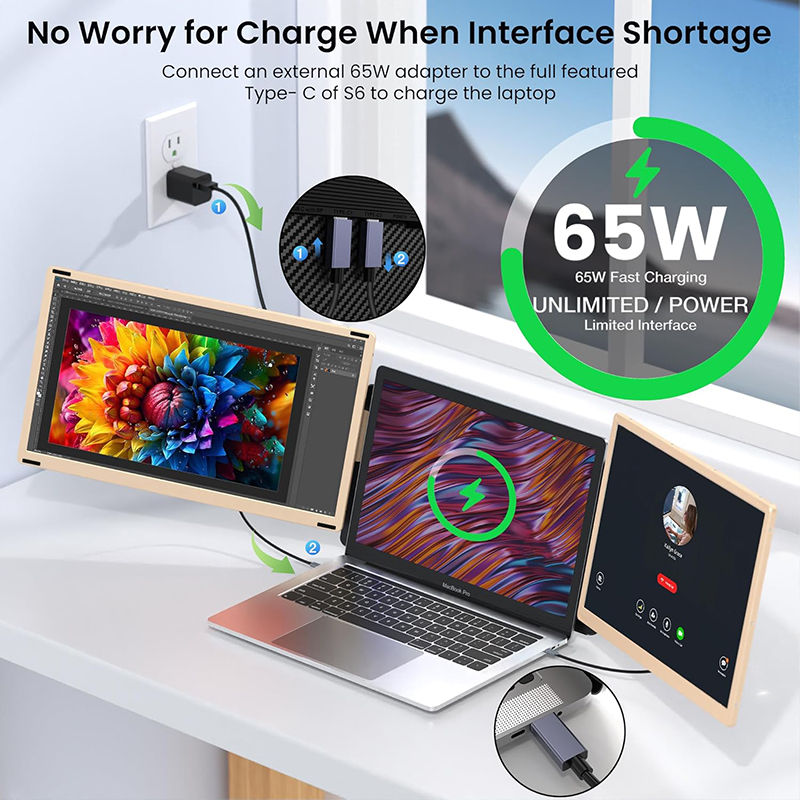
A: The reason is the power from your laptop interface is not enough or stable for S6.
In order to making it working well, please use an adapter (5V/2A or above) to supply
the power from outside.
Q: My Laptop Doesn't Have HDMI Or Type-C Port, How To Connect S6?
A: If your laptop doesn't have HDMI or Type-C interfaces to connect the screen,
You can connect via HDMI and USB-A interfaces that are expanded with a HUB,
docking station, or multi-port adapter.
QUANTITY